Motion-ready results
Video face swap follows the performer through movement so the result remains coherent from one frame to the next.
Bring a recognizable face into your next video project. Upload a clip and a clean target face, then use the same Google-authenticated workflow as photo face swap.
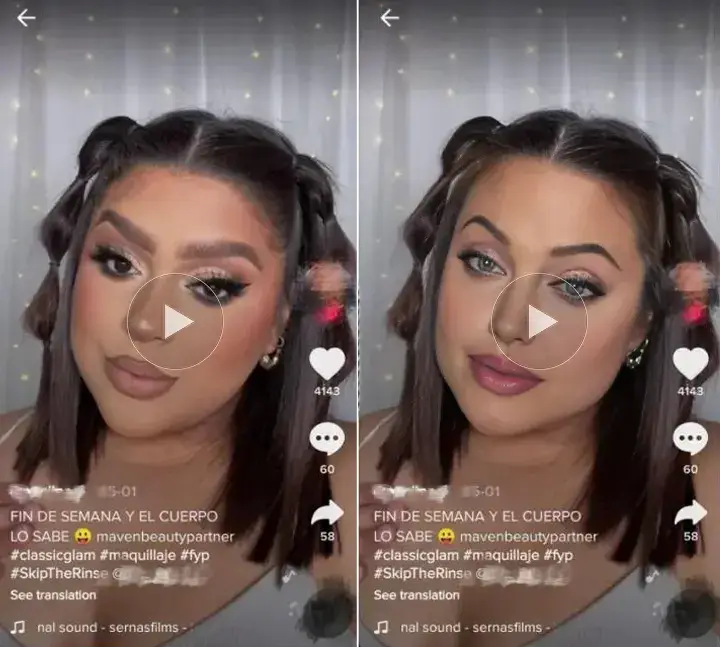
Create AI video face swaps online. Sign in with Google, choose a plan, and use one workbench for photos, GIFs, and video projects.
Use a photo with one clearly visible face. You can also try multiple face swap.
Purpose-built controls keep the process clear from upload to plan verification.
Video face swap follows the performer through movement so the result remains coherent from one frame to the next.
Create reaction videos, short social clips, fan edits, or character studies with a clear source and target.
No desktop render farm is required. Prepare the job in your browser and review your plan before rendering.
Choose a supported clip with a clearly visible subject throughout the scene.
Upload a front-facing portrait with even lighting and no obstructions.
Sign in, check your subscription, and send the project to the render queue.
Sign in once with Google, then use the same subscription status across all AI Face Swap tools.
Video face swapping replaces a performer’s face with another person’s face while tracking movement, expressions, and scene lighting over time.