Built for group photos
Prepare one source image and a target face, then create a coordinated multi-face result for group shots and social posts.
Use one clear target face and place it onto several people in a group image. Start with the photos you have, review your plan, and generate from the browser.
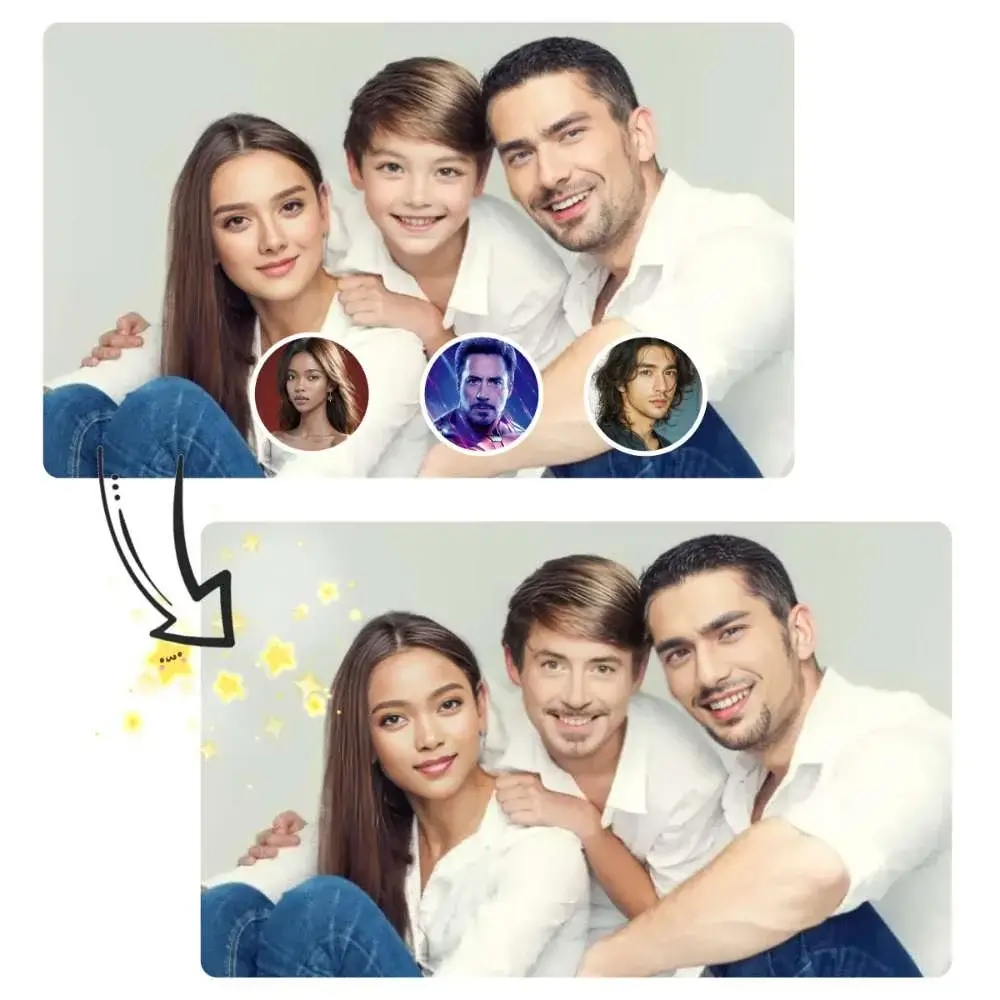
Swap multiple faces in group photos with an AI face changer powered by secure Google sign-in and Stripe billing.
Use a photo with one clearly visible face. You can also try multiple face swap.
Purpose-built controls keep the process clear from upload to plan verification.
Prepare one source image and a target face, then create a coordinated multi-face result for group shots and social posts.
AI keeps facial proportions, light direction, and head position in mind so each blended face fits the original scene.
The same workbench handles selection, Google sign-in, plan verification, and your render request.
Upload a JPG, PNG, or WebP group image with visible faces.
Use a sharp, front-facing photo without heavy shadows or filters.
Sign in with Google, confirm your plan, and start the render.
Sign in once with Google, then use the same subscription status across all AI Face Swap tools.
It detects separate faces in a group photo and blends the selected target face into the composition while preserving each person’s pose and the scene lighting.